


Business professionals today expect to see a positive ROI from their software purchases as quickly as possible. That process begins the moment a CRM vendor and its customer sign an agreement. As a result, the level of setup and training support included in the package has become an important factor for businesses choosing a CRM.
Buyers should know that they can influence the outcome. This Nutshell guide covers five types of CRM onboarding support offered by vendors, ranging from free guides to white-glove support. It also explains what businesses should request in writing before signing the agreement.
The service a CRM vendor provides to help your team implement your new CRM system, including setup and training, is known as CRM onboarding. Vendor support helps your team get up and running on the new system as quickly as possible.
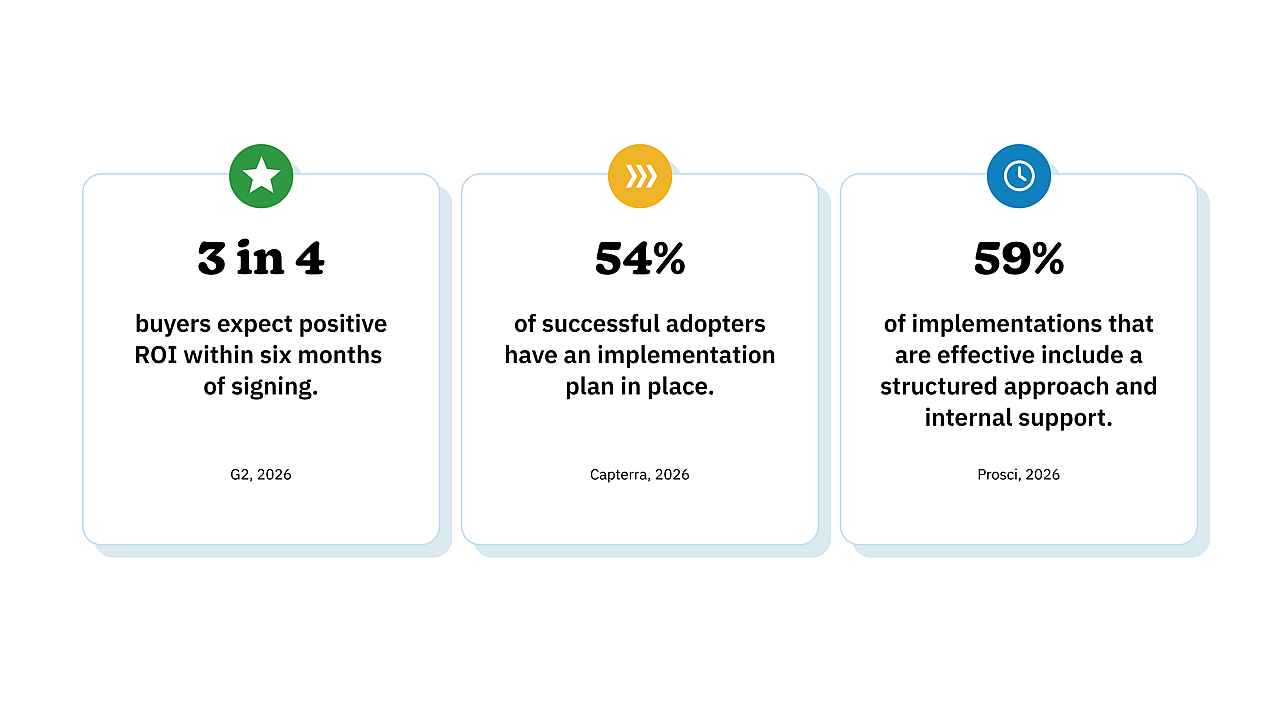
In 2026, G2 surveyed over 1,000 B2B decision-makers and found that three out of four software buyers envision obtaining a positive ROI on their purchase within six months of signing up. Twenty-five percent of those surveyed cited implementation planning as the biggest delay in selecting and purchasing a CRM subscription.
Capterra’s 2026 Software Buying Trends Report found that 54% of successful adopters compiled a comprehensive implementation plan that included training and integration. Some of the most common adoption issues cited in this report were integration problems, difficulty migrating data cleanly and implementation delays.
Support within the organization is just as important as support from the vendor. In 2026, research by Prosci found that 59% of participants who used a structured approach experienced an effective software implementation process.
Planning matters. Support from both the CRM vendor and the organization can help teams successfully implement and adopt new software. Understanding what the vendor-side onboarding offering includes and whether it fits your needs is vital.
There are five types of onboarding offered by CRM vendors, and many vendors offer more than one. What’s available often depends on your plan tier, but some vendors offer several options at no extra cost.
Self-serve guides, templates, and checklists
Self-serve onboarding materials usually include written documents and articles, as well as video walk-throughs. Teams using self-serve onboarding will set up the CRM themselves and can work at their own pace. Look for onboarding guides that include key implementation steps such as connecting your email and calendar, importing your data, building pipeline stages, and adding users.
If you can provide your CRM administrator with an effective onboarding checklist and guide, they should have what they need to cover the basics. Ask the vendor whether its onboarding materials are role-specific and up to date.
Live group sessions
Group onboarding sessions typically involve online meetings where new customers are guided through the setup process. These are often held at regular intervals and are ideal for teams that learn best through live demonstrations and Q&A. Sometimes these sessions are recorded, so the vendor can share a link with team members who couldn’t attend.
One drawback of live group sessions is that the examples used in the walkthrough are generalized. If your company requires a custom or slightly more complex setup, this may not be an ideal option for you.
One-on-one onboarding calls
Often referred to as personalized onboarding, one-on-one calls are scheduled online meetups with a specialist from the vendor’s team. The specialist guides you through implementation in your actual account, so the setup can be tailored to your needs. For example, the specialist can help you set up your pipeline according to how your team sells.
This option often includes a few calls, but it varies by vendor. Ask the vendor how many calls are included, how long each call will be, and whether unused calls will expire.
White-glove data import and setup
White-glove support means the vendor provides a specialist to carry out specific implementation tasks on your behalf rather than merely passing on a set of instructions. This service is sometimes limited to the data import process, with the specialist handling field mapping, loading records and checking the transfer results.
It’s a great option for teams switching from spreadsheets to a CRM, providing a clean start that encourages adoption. A few things to ask your vendor before onboarding include which import formats are accepted, whether there are record limits, and what can’t be transferred.
Consultant- or partner-led implementation
Consultant- or vendor partner-led onboarding and training is common for more involved setups. This typically involves a comprehensive implementation plan executed by a dedicated team, including handling complex data, facilitating multiple software integrations, and large-scale projects.
This service is often priced separately, so it’s wise to request a written quote upfront. It should outline the exact scope of work, deliverables, timeline and price.
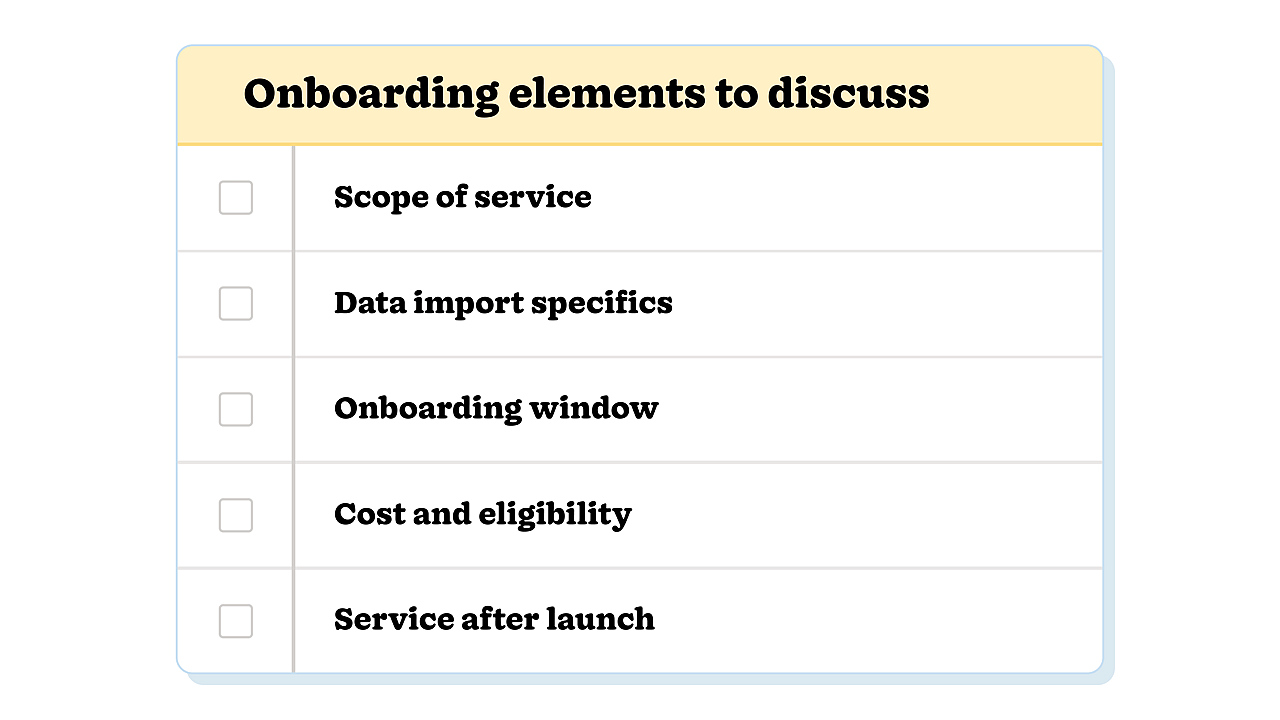
Vendors may use similar wording to describe very different types of support. Terms like “free,” “personalized,” and “white-glove” are common examples. To be clear about exactly what the onboarding support includes, ask the vendor for a short written outline of the service. These five elements should cover most of what you need:
Scope: Determine the number of sessions, session length, who leads them and if they’re recorded.
Data import: Ask about the accepted file formats, record limits, turnaround time, and anything that won’t be transferred.
Timing: Find out when the onboarding window begins and ends, and whether any unused time is forfeited after that date.
Cost and eligibility: Ask whether there’s an additional fee for the service. If not, ask about the plan, seat count, or spend level that qualifies your business for hands-on assistance.
After launch: Establish what you’ll have access to after launch, such as a specific contact person, a complimentary follow-up session and someone an administrator can reach out to with questions.
Asking these questions over email gives you a written record you can refer to during onboarding. It also makes it easier to compare service offerings across vendors.
Determining your ideal service type comes down to team size and data complexity. For example, a small team with a clean contact list could likely get set up with a live group session and a detailed checklist.
A larger team moving several years of contact history from a spreadsheet into a CRM may benefit from a white-glove import service and a few one-on-one onboarding calls. Consultant or partner involvement is more common for large companies with multiple departments and a range of integration needs.
Prosci’s 2026 research also found that teams that collected useful resources as backup for post-launch use had a better chance of a successful implementation. That means finding a vendor that can provide you with recorded onboarding sessions, short refresher calls, guides and walkthroughs, and a check-in after the first 30 days.
When investing in a CRM, you need an onboarding solution that suits your team and your data. Finding the right match starts with understanding exactly what the onboarding service includes.
Start by determining which of the five onboarding types your team needs. Then, get the vendor to confirm the scope of the service, import formats and limitations, the onboarding window start and end dates, and any additional costs for writing.
Making sure the agreement between you and your vendor is clear from the get-go gives your team the support it needs to achieve that six-month ROI.
This story was produced by Nutshell and reviewed and distributed by Stacker.


